Security & compliance
Protecting Your Ansible SSH Keys
Encrypt keys with Ansible Vault, materialize them only for runs, and remove them after.
April 17, 2024·Karam Iqbal·7 min read

Executive summary
SSH keys underpin server automation. If they leak, infrastructure is at risk. This walkthrough shows how to protect Ansible SSH keys using Ansible Vault on Ubuntu 22.04: encrypt secrets, decrypt only for playbook execution, and remove key files afterward.
Installing Ansible
#!/bin/bash
sudo apt-get update -y
sudo apt-get install software-properties-common -y
sudo add-apt-repository --yes --update ppa:ansible/ansible
sudo apt-get install ansible -y
ansible --version
Disable SSH host key checking (optional)
sudo nano /etc/ansible/ansible.cfg
# In [defaults]:
host_key_checking = False
Disabling host key checking avoids interactive prompts on first connect to new hosts. Prefer known_hosts or SSH config hardening in stricter environments.
Creating inventory
Understanding the inventory file
Ansible inventory lists managed nodes and connection parameters. Groups and variables (host, user, port, become, etc.) drive how playbooks run across the fleet.
INI vs YAML
- INI: simple sections per host group.
- YAML: structured, good for richer data.
Example INI inventory (use your own addresses):
[managed_nodes]
managed_node1 ansible_host=192.0.2.10 ansible_user=ubuntu
managed_node2 ansible_host=192.0.2.11 ansible_user=ubuntu
Ansible still needs a private key path. Set it in ansible.cfg under [defaults] (see below) rather than embedding keys in inventory.
[defaults]
host_key_checking = False
private_key_file = /tmp/ssh_keys/vmkey.pem
private_key_file points Ansible at the PEM used for SSH. The next sections show storing that key in Vault and writing it to this path only when needed.
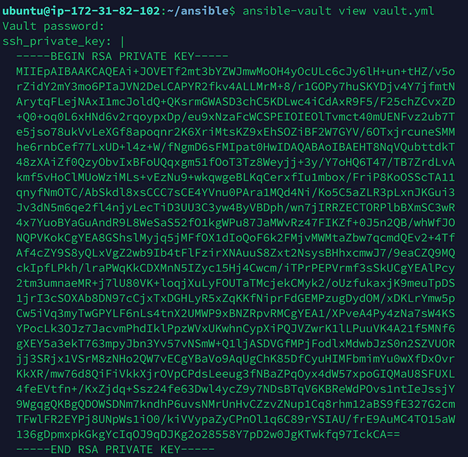
Creating a Vault file for the key
Store sensitive variables (including multiline private keys) in an encrypted Vault file:
ansible-vault create vault/ssh_key.ymlDefine a variable such as ssh_private_key holding the PEM contents (as a folded or literal string).
Playbook: decrypt and write the key
A localhost play decrypts Vault, creates /tmp/ssh_keys with strict permissions, writes the key, and uses no_log to avoid leaking material in output:
# setup_ssh_key.yml
---
- name: Setup SSH key from Vault
  hosts: localhost
  vars_files:
    - vault/ssh_key.yml
  tasks:
    - name: Create temporary directory for SSH key
      ansible.builtin.file:
        path: "/tmp/ssh_keys"
        state: directory
        mode: "0700"

    - name: Write SSH key to a temporary file
      ansible.builtin.copy:
        content: "{{ ssh_private_key }}"
        dest: "/tmp/ssh_keys/vmkey.pem"
        mode: "0600"
      no_log: true

- name: Set permissions on the SSH key
  hosts: localhost
  tasks:
    - name: Ensure key file mode
      ansible.builtin.file:
        path: "/tmp/ssh_keys/vmkey.pem"
        mode: "0600"
Playbook: remove the key after the run
- hosts: localhost
  become: true
  tasks:
    - name: Remove SSH key file
      ansible.builtin.file:
        path: "/tmp/ssh_keys/vmkey.pem"
        state: absent

    - name: Remove temporary SSH key directory
      ansible.builtin.file:
        path: "/tmp/ssh_keys"
        state: absent
Wrapping workload plays
Import setup before remote work and cleanup after, for example installing Docker and running a hello-world container:
- import_playbook: setup_ssh_key.yml
- hosts: all
  become: true
  tasks:
    - name: Update apt cache
      ansible.builtin.apt:
        update_cache: true

    - name: Install Docker
      ansible.builtin.apt:
        name: docker.io
        state: present

    - name: Start Docker
      ansible.builtin.service:
        name: docker
        state: started
        enabled: true

    - name: Run hello-world container
      docker_container:
        name: hello-world
        image: hello-world
        state: started
- import_playbook: removekey.yml
Adjust collection/module names to your Ansible version (docker_container may live in community.docker). The pattern stays the same: materialize secrets, run the play, delete the key from the control node.